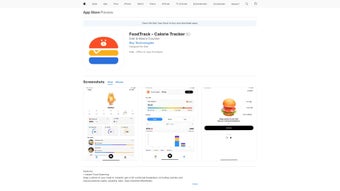

Download FoodTrack – Free Calorie Tracker, Nutrition App & Meal Planner
Overview
FoodTrack is a modern, web‑based calorie‑tracking solution that combines artificial‑intelligence photo recognition with an intuitive, gamified interface. Designed for busy professionals, fitness enthusiasts, and anyone who wants a clearer picture of daily nutrition, the platform lets you snap a picture of any meal and instantly receive a detailed breakdown of calories, carbohydrates, proteins, and fats. The AI engine has been trained on millions of food images, delivering an average accuracy of over 90 % for standard dishes while still offering manual adjustment tools for complex meals.
Beyond instant scanning, FoodTrack provides fully customizable meal plans that respect allergens, diet preferences (keto, vegan, paleo, etc.), and personal health goals such as weight loss, muscle gain, or maintenance. A unique avatar system rewards streaks and macro‑target achievements, turning everyday tracking into a motivating game. While the core functionality is available for free, a PRO subscription unlocks deeper micronutrient insights, exportable CSV reports, and priority support.
FoodTrack’s cloud‑first architecture ensures that all data is securely stored, synchronized across devices, and compliant with GDPR and CCPA regulations. Whether you access it from a desktop browser, tablet, or smartphone, the responsive design delivers a consistent experience without the need for a native app download.
Key Features and Benefits
- AI‑Powered Photo Scanning: Instantly analyzes meals from a single photo, delivering macro breakdowns within seconds.
- Customizable Meal Plans: Build plans that honor dietary restrictions, calorie targets, and personal taste profiles.
- Dynamic Dashboard: Visual graphs track daily, weekly, and monthly trends, helping you spot nutrient patterns.
- Gamified Avatar System: Earn badges, level‑up your avatar, and share milestones on social media to stay motivated.
- FoodTrack PRO Upgrade: Access micronutrient data, advanced trend analytics, CSV export, and AI‑driven meal suggestions.
- Cross‑Device Sync: All entries are stored in the cloud, enabling seamless access from Windows, macOS, Android, and iOS browsers.
- Secure Cloud Storage: End‑to‑end encryption (TLS 1.3 and AES‑256) protects personal health information.
- Community Recipe Library: Browse, rate, and add user‑generated recipes directly to your plan.
These features translate into tangible benefits for users. The instant scanning reduces the time spent logging meals, while the customizable plans ensure that the software adapts to evolving health goals. The avatar system adds a layer of psychological reinforcement, encouraging consistency—a critical factor in long‑term dietary success. For power users, PRO’s detailed micronutrient analysis supports precise nutrient timing, making FoodTrack suitable for athletes, medical nutrition therapy, and advanced health enthusiasts. The cloud‑first model eliminates the hassle of manual backups and guarantees that you always work with the latest version without waiting for app store updates.
Installation, Usage & Compatibility
Getting Started – No Traditional Download Required
FoodTrack runs entirely in a modern web browser. To begin, navigate to foodtrack.com on any up‑to‑date browser (Chrome, Firefox, Safari, or Edge). Click the “Sign Up” button and complete a short onboarding questionnaire that asks for age, weight, activity level, and dietary objectives. This information calibrates the AI engine to generate personalized macro targets and suggested meal plans.
Step‑by‑Step Photo Scan Process
- Open the web portal and select the “Scan Meal” tab.
- Click the camera icon or drag‑and‑drop a clear photo of your plate.
- Allow the browser to access your device’s camera if prompted.
- Within 2–3 seconds, FoodTrack presents a nutritional breakdown with confidence scores.
- If needed, adjust portion sizes manually, then confirm to log the entry.
Creating and Managing Meal Plans
From the “Meal Planner” dashboard, choose “Create New Plan.” Select a template (e.g., “Low‑Carb,” “High‑Protein”) or start from scratch. Add foods by scanning, searching the built‑in database, or importing a CSV file. Drag meals into daily slots, set reminders, and let FoodTrack automatically balance macros across the week. All changes sync instantly to the cloud.
Device Compatibility
FoodTrack is compatible with any device that supports a modern HTML5 browser, including Windows 10/11, macOS 12+, Android 8+ (Chrome or Firefox), and iOS 13+ (Safari). Because the application is cloud‑based, there is no need for separate installations on desktop or mobile, and updates are applied automatically without user intervention.
Troubleshooting Essentials
- Image not recognized: Ensure good lighting, separate food items, and avoid cluttered backgrounds. Use the “Manual Entry” fallback if needed.
- Sync delays: Refresh the browser or clear cache. Data normally updates across devices within 30 seconds.
- Browser compatibility: Use the latest version of Chrome, Firefox, Safari, or Edge. Older browsers may lack WebGL support required for AI processing.
Pros, Cons, Frequently Asked Questions & Conclusion
Pros
- Instant, AI‑driven photo scanning provides rapid macro feedback.
- Highly customizable meal plans adapt to diverse dietary needs.
- Gamified avatar system increases user engagement and consistency.
- Secure, GDPR‑compliant cloud storage protects personal health data.
- Cross‑device synchronization eliminates duplicate entries.
- Robust free tier; affordable PRO upgrade for advanced analytics.
Cons
- Complex or mixed dishes may require manual correction.
- Continuous internet connection needed for real‑time scanning.
- PRO subscription ($9.99 / month) might be a barrier for budget‑conscious users.
- No native mobile app yet; mobile experience relies on browser performance.
Frequently Asked Questions
How accurate is the AI photo‑scanning feature?
The model has been trained on millions of food images, delivering roughly 92 % accuracy for typical meals. Accuracy can drop for highly mixed dishes, but manual portion adjustments ensure precise tracking.
Is my nutritional data kept private?
Yes. All data is encrypted in transit (TLS 1.3) and at rest (AES‑256). FoodTrack complies with GDPR and CCPA, giving you full control over data export and deletion.
Can I use FoodTrack offline?
Core scanning and sync require an internet connection. However, previously logged meals can be viewed offline, and new entries entered manually will sync once you reconnect.
What does the PRO upgrade include?
PRO adds micronutrient breakdowns (vitamins, minerals), advanced trend analytics, exportable CSV reports, AI‑generated meal suggestions, and priority email support.
Is there a free version and what are its limits?
The free tier offers unlimited photo scans, basic macro tracking, and access to community recipes. Features such as micronutrient analysis, CSV export, and premium recipes are reserved for PRO subscribers.
Conclusion & Call to Action
FoodTrack successfully bridges sophisticated nutrition science with everyday usability. By turning a simple photo into actionable data, it removes the friction that typically discourages consistent tracking. The combination of AI‑driven scanning, flexible meal planning, and a rewarding avatar system makes it an appealing choice for anyone serious about health, weight management, or performance optimization.
While a native mobile app is still on the roadmap, the responsive web design already delivers a smooth experience across Windows, macOS, Android, and iOS browsers. For users seeking deeper insights, the affordable PRO upgrade expands the platform into a full‑featured nutrition analytics suite. If you’re ready to gain clearer visibility into what you eat, improve macro balance, and stay motivated with gamified milestones, click below to start your free FoodTrack account today.
FoodTrack delivers a powerful blend of AI image recognition and a user‑friendly interface, making nutrition tracking both accurate and enjoyable. The free version meets most everyday needs, while the PRO tier adds the depth required by athletes and health professionals.
- Pros: Instant scans, customizable plans, secure cloud, cross‑device sync.
- Cons: Occasional mis‑recognition, internet dependency, no native app yet.



.png)



